Blog
In January clients will start asking the same thing: “Where do my invoices arrive now?” From 1 January 2027 every entrepreneur and every legal entity in Slovakia must be able to receive e-invoices, and VAT payers must issue them as well. An office that prepares its clients in advance saves itself dozens of phone calls and gets their documents in one place.
The legal part relies on the Slovak Financial Administration's answers to frequently asked questions about e-invoicing (version of 10 November 2026), which are not legally binding. Always assess how the rules apply to a particular client against the current wording of the VAT Act.
What changes for your clients
- Every client must be able to receive e-invoices, including those who are not VAT payers: a sole trader, a liberal profession or a landlord. They need a tax identification number (DIČ) and a contract with a certified delivery service provider, the so-called digital postman.
- VAT payers must issue e-invoices for domestic supplies to businesses and legal entities. The invoice must also be sent within 15 days of the supply.
- Each DIČ has one provider for receiving. A client therefore cannot “split” its inbox between several applications.
- The provider reports the invoice data to the Financial Administration. According to the Financial Administration, the VAT control statement and the recapitulative statement will be abolished only from 1 July 2030.
- Archive: a VAT payer keeps e-invoices for ten years from the end of the year they relate to, in the original XML format.
Sort your clients first
Not every client needs the same thing. In practice there are three groups:
- They only receive. Non-VAT payers and small sole traders. An inbox the e-invoices arrive in is enough.
- They issue a few invoices a month. VAT payers without a system of their own. They need an inbox and simple invoicing.
- They have their own invoicing or ERP software. Check with its vendor whether it can create an e-invoice and send it through a digital postman.
For the first two groups it pays for the office to run the inboxes: the documents of all clients then arrive in one place and in the same format.
Two ways of working together
The office does everything. You set up the client's company and register it on the Peppol network yourselves on the basis of a power of attorney; you receive invoices for the client and, if agreed, issue them too. The client never has to sign in, or you give them access where they see an overview of their company and upload documents.
The client invoices on their own. They have their own account and invite the office as their accountant. You see their received and issued documents and download an export once a month.
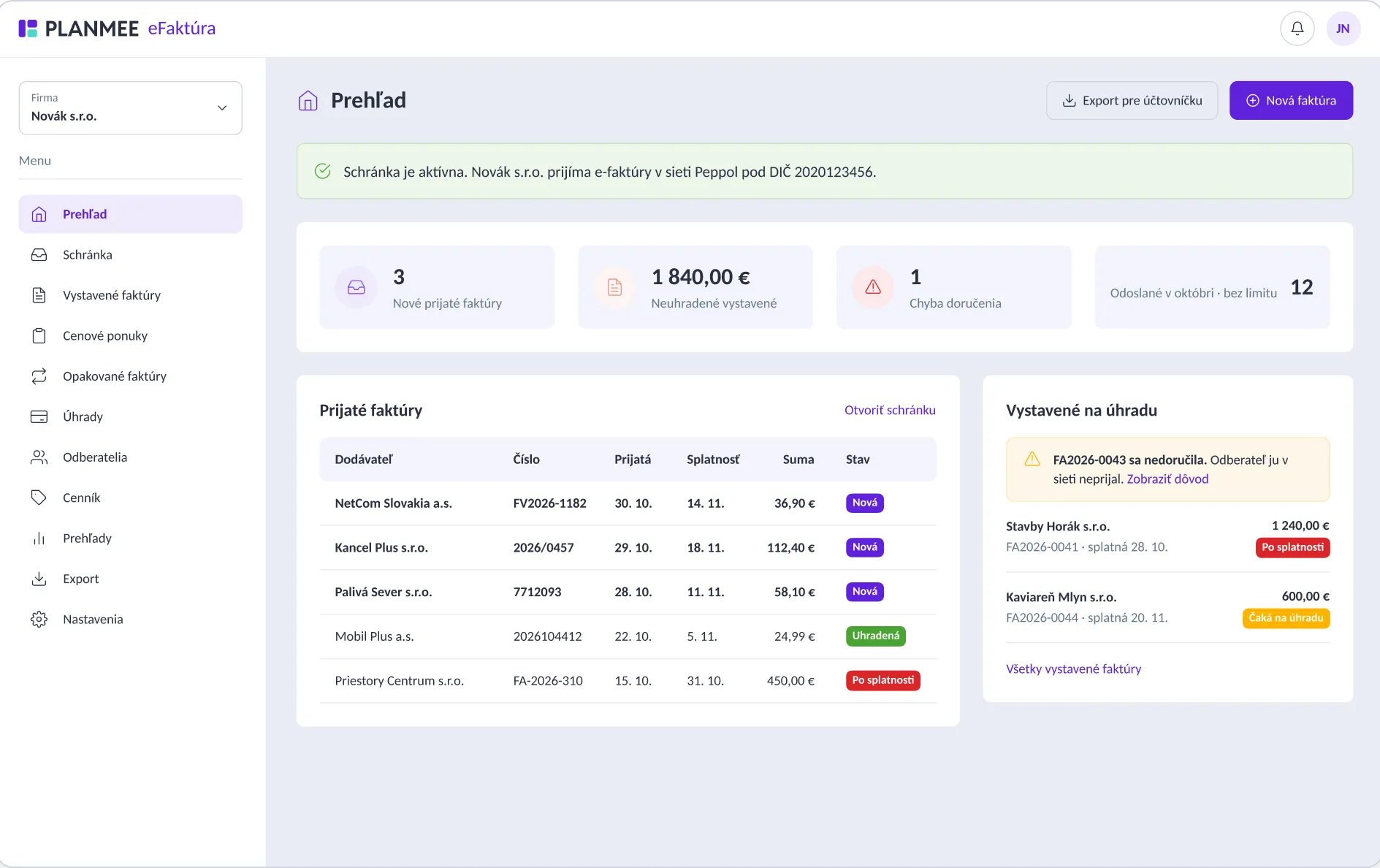
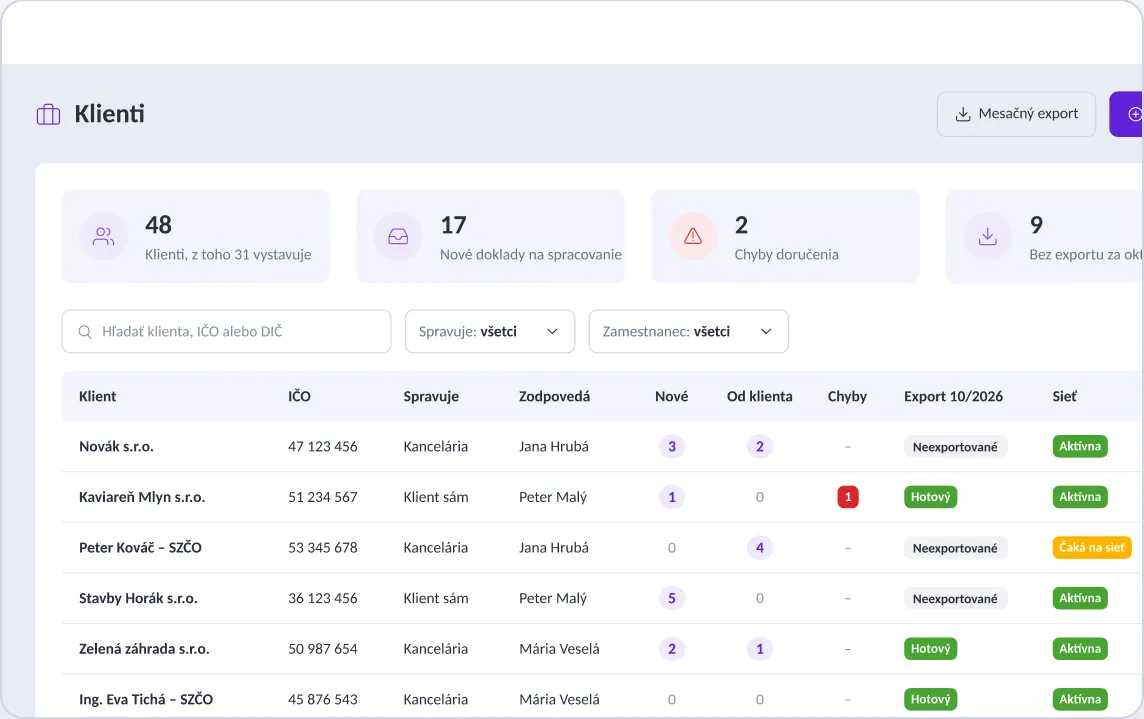
In Planmee eFaktúra the two ways can be combined, and you see all clients in one overview.
How to register clients in Planmee eFaktúra
- Create an accounting office account. The office workspace is free.
- Add clients. One by one by company ID (IČO), or several at once from a list of IČOs. We fill in the companies' details from the register.
- Upload the powers of attorney. You attach the client's signed power of attorney as a PDF or a photo. We check it and, with the first client, verify the office itself; further powers of attorney are verified within 1 working day. The client gets an e-mail saying that the office manages its inbox.
- Arrange the provider selection in VPDS. Every company has to confirm Planmee in the Financial Administration's application. It can be done by whoever acts for the client on the Financial Administration's portal: the client itself, or the office if it is authorised for the client on the portal or represents it. The procedure is in our guide to selecting a provider in VPDS. The client overview shows who is still waiting for this step.
- The inbox is active. From now on invoices from the client's suppliers arrive in eFaktúra.
If the client has an inbox with another provider, it has to be deregistered there first. Once the contract ends, the original provider must do so within 3 working days.
The office's monthly routine
- The client overview in one table: new received documents, delivery errors, months not yet exported and the state of the network registration.
- One monthly export for everyone. You choose the period, all clients or only some, and the format: Pohoda, Money S3, UBL, ISDOC or CSV. You get one ZIP split by client, and the exported documents are marked as processed. The export to Pohoda and Money S3 is switched on once the office is verified.
- People by client. You assign the office's employees to particular clients.
- Documents from clients. A client with access uploads a receipt or an invoice as a PDF or a photo, and you see it with their company.
What it costs
- The office workspace: €0.
- A client on the Inbox plan (unlimited receiving and three issued invoices a month): €0.
- A client on the Invoicing plan (unlimited issuing): €1.50 a month, €1 from the 21st client and €0.50 from the 51st.
An office with 31 clients on Invoicing thus pays €41 a month. Prices exclude VAT. With pre-registration by 31 December 2026 the first three months are free and the price is locked for 12 months.
What to get done before the end of the year
- Now: a list of clients with their IČO and DIČ, sorted into groups, and powers of attorney out for signature.
- In December: registering the clients, the provider selection in VPDS and a trial e-invoice between two clients who already have an inbox.
- In January: the first live month. At the beginning of February you download the first monthly export.
What changes for companies and sole traders on 1 January 2027 is in Slovak e-invoicing from 1 January 2027: what businesses must do — it also works as an answer to your clients. If you would like to see the office workspace first or have a question about the switch, write to us.
Subscribe to our newsletter
Stay up to date with our latest articles and product updates, please subscribe to our blog newsletter.
Share