What's New
What's New — August 2026
What's New — August 2026
In August we rebuilt financial statistics from scratch, made sure every new cost and invoice passes through approval, and taught PlanMee to notify you about comments wherever they're written. New companies now get a guided setup, so they can start working on day one. Here's an overview of everything we added in August.
New Features
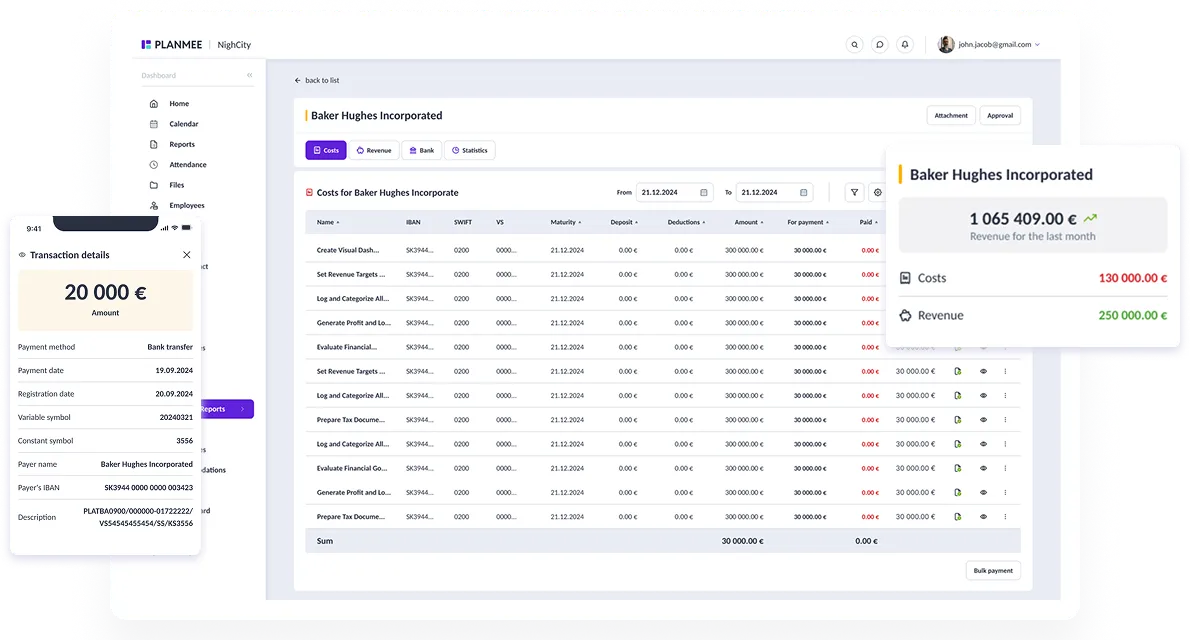
Financial Statistics, Rebuilt from Scratch
The old statistics page had too many tabs and charts and was slow to load. We replaced it with a single, clear page that answers four questions: How are we doing? Who owes us and whom do we owe? Which jobs make money? Where does the money go?
- Key numbers at the top — revenue, costs, profit and margin, each compared with the previous period of the same length.
- Monthly trend — revenue and costs by month, with a profit line.
- Receivables and payables — how much is still open and how long it has been overdue (on time, 1–30, 31–60, 61–90 and 90+ days), with the most overdue items one click away in the financial report.
- Breakdowns — switch between jobs, clients, companies and categories to see where money comes from and where it goes.
- Filters and export — pick one or more companies, choose a period (month, 3 months, year, last year or your own range), use the same filters and saved presets as in the financial report, and export the current view to Excel or PDF.
An Approver for Every New Cost and Invoice
Every cost or profit created outside the financial report itself now needs an approver, so nothing skips verification:
- adding costs and profits from the job detail and other modules,
- accommodation costs,
- issuing and finalizing invoices,
- bulk processing of uploaded invoices.
You'll find the approver settings linked directly from the financial report settings.
Comment Notifications Everywhere
Until now, only tasks, reports and deals notified you about new comments. Now comments on jobs, clients, invoices, workers, subcontractor groups and the user feed send notifications too — to the owners of the record and to everyone who has already joined the conversation. The notification names what the comment is about (for example the job name), not just a number.
Comments and Flags on Subcontractor Groups
Subcontractor groups can now carry comments and flags, just like workers, so notes and important markers stay right where the team needs them.
Guided Setup for New Companies
A company that signs up for PlanMee no longer lands in an empty app. After clicking the activation link, the user is signed in automatically and walks through a short setup wizard:
- country and language,
- company and billing details,
- inviting colleagues, who accept the invitation via a link,
- a summary of the chosen plan with the option to pay online.
The new account comes with sensible default settings for your language, welcome e-mails arrive in the recipient's language, and a first-steps checklist waits on the dashboard. If the activation e-mail gets lost, a new one can be requested right from the sign-in page.
Export Clients and Their Jobs to Excel
The client list can now be exported to Excel together with each client's jobs — handy for reporting and for sharing an overview with colleagues.
More Units in the Project Tracker
The project tracker now offers 14 units instead of 6 — meters, square and cubic meters, running meters, kilometers, pieces, welds, kilograms, tons, liters, hours, minutes, days and inches — all translated into every language.
Multilingual Worker Questionnaire
The public questionnaire that new workers fill in is now available in Slovak, Czech, German and English, and the worker can switch the language right in the form. When you share the link from a worker request, you choose the language and copy the link with one click.
Improvements
- Assigning a subcontractor group to a job sets the right work category automatically, and the worker assignment page is simpler.
- When deleting a worker request, PlanMee offers to delete the worker created from it as well.
- Jobs and worker assignments stay active for the whole of their last day.
- E-mails are sent more reliably, and a slow e-mail service no longer holds up the app.
Bug Fixes
- Financial report: documents edited from the approval page keep their department
- Financial report: submitting for approval no longer overwrites the assigned person
- Financial report: the chart view no longer counts items that shouldn't be included in totals
- Invoices: when an approver is missing, finalizing shows a clear message instead of pretending to succeed
- Notifications for ticket mentions and approval requests display the correct text
- Many other smaller fixes
Subscribe to our newsletter
To stay up to date with our latest articles and product updates, subscribe to our blog newsletter.